In the world of Shopify data operations, Matrixify (formerly Excelify) is widely regarded as an indispensable utility. If you are migrating 50,000 historical customer records, migrating complete order histories from Magento, or exporting complex multi-sheet Excel files with complex relational formulas, Matrixify is unmatched.
However, for everyday catalog maintenance—updating product titles, modifying seasonal prices, managing tags, adjusting inventory visibility, or tweaking metafields and custom fields—relying on Matrixify means relying on spreadsheets.
For modern ecommerce teams, the spreadsheet-centric workflow is slow, intimidating, and fraught with disaster. One accidental formula drag in Microsoft Excel can overwrite 10,000 SKUs. A single file save with incorrect character encoding can butcher your product descriptions. And worse, Matrixify provides zero visual feedback of what your live store will actually look like until the import job finishes.
Furthermore, merchants running on BigCommerce are left completely stranded: Matrixify is strictly a Shopify app and does not exist in the BigCommerce App Marketplace.
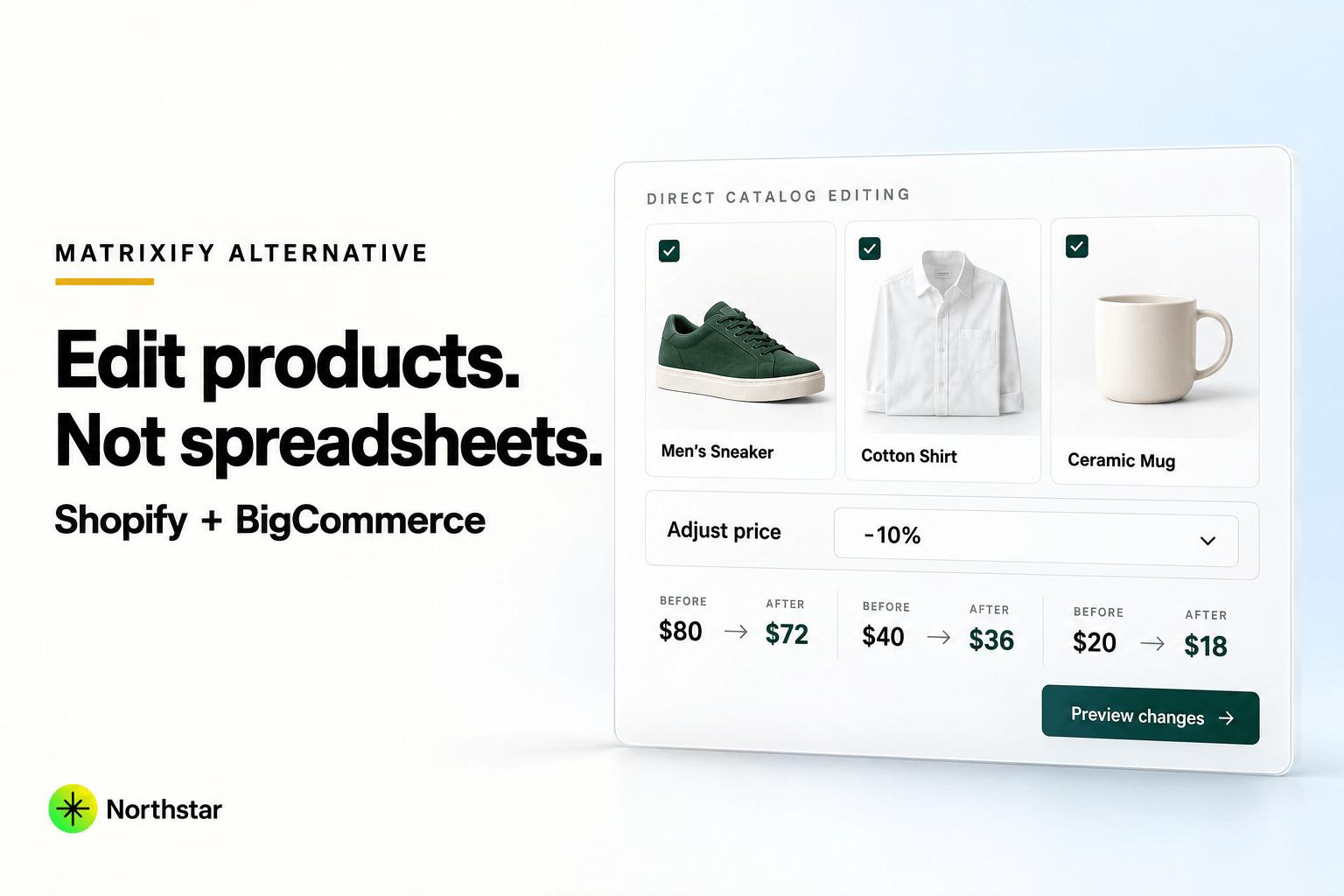
If you are searching for a Matrixify alternative that allows you to edit Shopify and BigCommerce products without CSV files, NorthStar Bulk Product Editor provides the modern visual solution you need.
Editorial Transparency: NorthStar Bulk Product Editor is developed by NorthStar Innovations. We hold immense respect for Matrixify as an enterprise data migration utility. This article clearly distinguishes between large-scale database migration and routine catalog merchandising so you can choose the right tool for each job.
Matrixify vs NorthStar: Two Fundamentally Different Philosophies
To understand why so many merchants seek an alternative to Matrixify, it is essential to understand the philosophical difference between the two tools:
| Operational Aspect | Matrixify (Excelify) | NorthStar Bulk Product Editor |
|---|---|---|
| Core Philosophy | Database Export & Import Pipeline via Spreadsheets | Direct In-App Visual Merchandising & Automation |
| Primary Workflow | Export CSV/XLSX → Edit in Excel → Re-Import | Filter → Configure Action → Visual Diff Preview → Apply |
| Platform Availability | Shopify Only | Shopify & BigCommerce |
| Continuous Automation | No (Batch imports only) | Yes (Dynamic continuous rules for inventory & pricing) |
| Storefront Visual Preview | No (Raw spreadsheet rows) | 100% exact side-by-side visual diff before execution |
| Technical Skill Required | High (Excel syntax, VLOOKUP, CSV formatting) | None (Intuitive point-and-click visual interface) |
| Ideal Role | Store migrations, mass database dumps, bulk backups | Daily product updates, seasonal sales, catalog cleanup |
The 6 Inherent Pitfalls of Spreadsheet-Driven Catalog Management
1. The Infamous Scientific Notation & Barcode Trap
Spreadsheet software like Microsoft Excel is designed for financial accounting, not ecommerce catalog administration. When Excel encounters a long numeric string—such as a 12-digit UPC, a 13-digit EAN, or a numeric SKU like 000492819283—it automatically strips leading zeros or converts the value into scientific notation (4.92819E+11).
If a merchant saves that spreadsheet and re-imports it via Matrixify, the scientific notation is written directly to Shopify or BigCommerce. Barcode scanners stop working at fulfillment warehouses, POS systems fail at checkout, and inventory tracking breaks store-wide.
2. Character Encoding & Broken HTML Descriptions
Modern product descriptions are rich in HTML: bulleted feature lists, sizing tables, embedded video iframes, and formatted typography. When exported into CSV files, multiline HTML descriptions often collide with delimiter commas, quotation marks, and line breaks.
Furthermore, opening a CSV in software configured with standard ASCII or Windows-1252 encoding replaces French accents, degree symbols (°), trademark logos (™), and curly quotes with garbled characters like ’. With NorthStar, product content is edited directly via native APIs, maintaining 100% UTF-8 integrity and HTML validity.
3. The Feedback Void: Zero Visual Previews
In a spreadsheet containing 50,000 cells across 80 columns, finding a typo or a misaligned formula is like finding a needle in a haystack. You cannot see how the final product page will render until you complete the import process.
NorthStar solves this with an instant visual diff preview. Before any update is queued, you see a clean comparison of the exact current values versus the proposed new values. If your filter accidentally caught products that shouldn't be touched, you catch it in two seconds before any live store impact occurs.
4. The Tedious Export-Edit-Upload Cycle
Consider the friction involved in running a simple 10% price promotion on a specific brand using Matrixify:
- Open Matrixify and configure an export of products with specific filters.
- Wait for the export job to complete and download the multi-megabyte spreadsheet.
- Open the file in Excel, find the Variant Price column, write a
=ROUND(Price*1.1, 2)formula, copy it down rows, paste values over formulas, and format cells. - Save the file as XLSX or CSV, ensuring no delimiter settings changed.
- Upload the file back to Matrixify, wait in the processing queue, and monitor for import validation errors.
With NorthStar, that entire process takes less than 45 seconds:
- Filter by Brand in NorthStar.
- Select Price → Increase by 10% (with optional .99 psychological rounding).
- Check the instant live preview.
- Click Run Update.
5. Lack of Proactive Catalog Automation Rules
Matrixify is strictly a static data processor: it imports whatever file you upload at that moment. But modern ecommerce is dynamic and event-driven.
What happens when a popular product sells out at 2:00 AM on a Sunday? A spreadsheet cannot automatically detect that inventory drop, tag the item as out-of-stock, or remove it from your featured homepage collection.
NorthStar includes built-in catalog automation rules that run continuously in the background, keeping your merchandising logic synchronized without human intervention.
6. No Solution for BigCommerce Merchants
One of the biggest limitations of Matrixify is that it is strictly confined to Shopify. If you manage a BigCommerce storefront, you cannot use Matrixify at all. You are stuck wrestling with BigCommerce's native CSV templates or its 100-item control panel limit.
NorthStar operates seamlessly across both ecosystems. If your agency or business manages stores on both Shopify and BigCommerce, NorthStar provides a unified, spreadsheet-free interface across both platforms.
Detailed Head-to-Head Feature Comparison
| Capability | NorthStar Bulk Product Editor | Matrixify (Excelify) | Best Fit |
|---|---|---|---|
| Primary Workflow | Visual in-app point-and-click editing | Spreadsheet import & export (CSV/XLSX) | NorthStar for daily work |
| Store Migrations (Magento → Shopify) | Focused on catalog data | Comprehensive (Orders, Customers, Blogs, Pages) | Matrixify |
| BigCommerce Compatibility | Full native BigCommerce App | Not available (Shopify only) | NorthStar |
| Live Visual Diff Preview | Yes (100% exact preview before applying) | No (Raw spreadsheet data) | NorthStar |
| Automated Catalog Rules | Yes (Inventory triggers, dynamic tags) | No (Scheduled imports only) | NorthStar |
| 1-Click Instant Rollback | Yes (Automatic snapshot history) | Requires re-importing old backup spreadsheet | NorthStar |
| Find & Replace across Content | Yes (Titles, descriptions, metafields) | Requires Excel formulas / find-and-replace | NorthStar |
| Risk of Corrupted SKUs / UPCs | Zero (No Excel formatting traps) | High (Scientific notation in spreadsheets) | NorthStar |
| Pricing Structure | Transparent, accessible tiers | Tiered: Free (10 items), $20, $50, $200/mo | NorthStar |
When Should You Keep Matrixify?
We believe in recommending the right tool for the right technical challenge. Matrixify remains the undisputed leader in scenarios involving:
- Full Store Database Migrations: When migrating entire ecommerce stores—including historical customers, customer passwords, past orders, discount codes, pages, and blog posts—Matrixify's comprehensive multi-entity importer is unmatched.
- External ERP / Supplier Batch Ingestion: If your suppliers generate massive raw CSV or XLSX files that require complex formula transformations before being uploaded to Shopify, Matrixify's spreadsheet engine handles large raw files reliably.
- Complex Relational Data Exports: If your accounting or data warehousing team requires complete multi-sheet exports of relational order and customer data on an automated SFTP schedule, Matrixify is purpose-built for that pipeline.
When Should You Switch to NorthStar?
You should make NorthStar your primary tool if:
- Your day-to-day work centers on product catalog merchandising: updating prices, comparing-at prices, product titles, descriptions, vendors, collections, categories, and tags.
- You want your marketing and merchandising teams to make safe catalog updates without relying on an Excel wizard or developer.
- You manage products on BigCommerce and need a powerful bulk editor that BigCommerce's native control panel fails to provide.
- You want instant visual previews to ensure 100% accuracy before making live changes.
- You want continuous catalog automation rules that react dynamically to inventory levels and sales events.
How to Bulk Edit Products in NorthStar Without Spreadsheets
Here is how simple catalog management becomes once you eliminate spreadsheets:
- Filter your Catalog: Open NorthStar and filter by vendor, category/collection, inventory status, price range, or custom attributes.
- Select Field Action: Choose what you want to modify—adjust prices by a percentage, find and replace outdated text in descriptions, add or remove tags, or update custom fields.
- Inspect Visual Preview: Review the side-by-side diff table showing the exact changes that will occur.
- Queue Safe Execution: Click to apply. The update processes safely via rate-limit-aware cloud workers, logged with full audit history and 1-click rollback protection.
Frequently Asked Questions
What is the best Matrixify alternative for Shopify?
For product and catalog updates, NorthStar Bulk Product Editor is the leading Matrixify alternative. While Matrixify requires exporting, editing, and re-importing Excel files, NorthStar allows you to filter, modify, preview, and automate product changes directly inside Shopify without spreadsheets.
Is there a Matrixify alternative for BigCommerce?
Yes. Matrixify does not support BigCommerce. NorthStar Bulk Product Editor for BigCommerce was built specifically to fill this gap, offering BigCommerce merchants spreadsheet-free bulk editing, custom field management, visual previews, and catalog automation rules.
How does NorthStar prevent SKU and barcode corruption?
When CSV files are opened in spreadsheet software like Microsoft Excel, long numeric SKUs and barcodes are often converted into scientific notation or have leading zeros stripped. NorthStar connects directly to your store's native APIs, reading and writing data without an intermediate spreadsheet layer, completely eliminating the risk of data corruption.
Can I use both Matrixify and NorthStar together?
Absolutely. Many scaling Shopify brands use Matrixify once a quarter for wholesale customer migrations or accounting order exports, while using NorthStar daily for fast, spreadsheet-free product updates, promotional pricing, and continuous catalog automation rules.
Final Verdict
Spreadsheets were invented in 1979. In 2026, running an agile ecommerce store shouldn't require copy-pasting numbers across 50-column CSV files.
Leave Matrixify for complex database migrations, and use NorthStar Bulk Product Editor for fast, safe, visual catalog merchandising on both Shopify and BigCommerce.
Ready to eliminate spreadsheet errors from your workflow? Explore NorthStar for Shopify or Explore NorthStar for BigCommerce.
Official Sources & Resources
- NorthStar Bulk Product Editor on the Shopify App Store
- NorthStar Bulk Product Editor on the BigCommerce App Marketplace
- NorthStar Shopify Bulk Editor Features
- NorthStar BigCommerce Bulk Editor Features
- Shopify Bulk Editor vs. CSV Import (1,000+ Products Guide)
- Automating Supplier Feed Updates Without CSV Spreadsheets
- Matrixify Official Documentation & Overview