

Our Process
How it Works
- 02
Choose what you want to update
Edit prices, titles, categories, product status, inventory rules, or custom fields.
- 03
Preview all changes
See exactly what will change before anything is applied.
- 04
Run bulk update safely
Jobs are queued, rate-limit aware, and fully logged.
- 05
Track history & iterate
Review past edits, reuse rules, and refine workflows over time.
Bulk Editing & Automation Capabilities
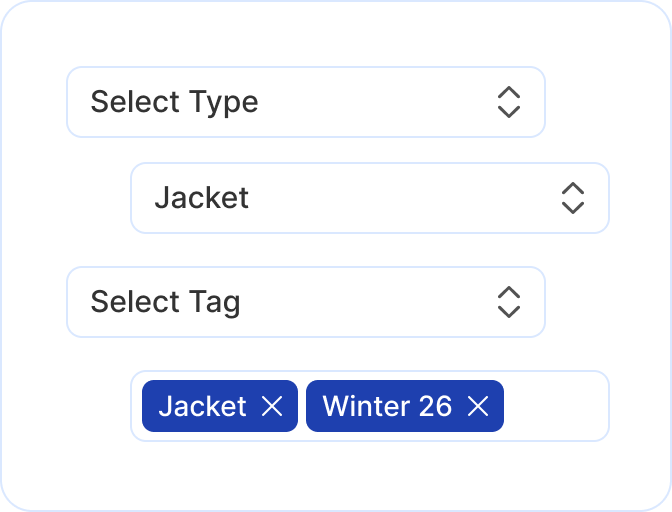
Bulk Product Editor
Edit titles, descriptions, prices, brands, and status across thousands of products in one run. No CSV required.
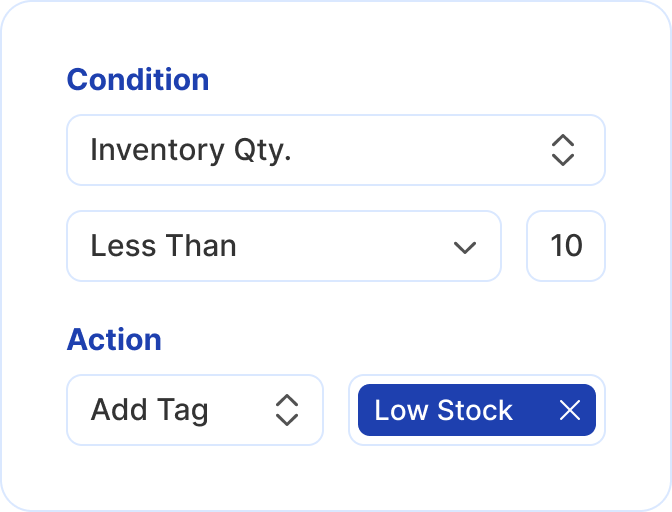
Inventory-Based Automation
When inventory changes, automatically update products or move them by rule. Your catalog and category logic stay accurate.
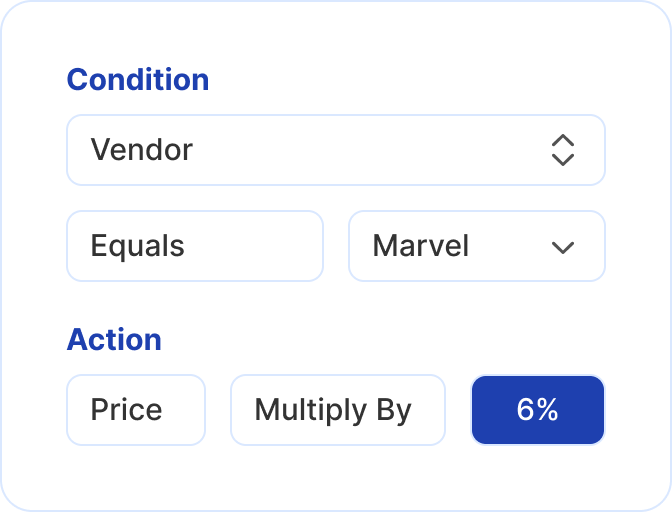
Price Rules
Increase, decrease, or reset prices when conditions are met. Set rules by brand, category, or inventory.
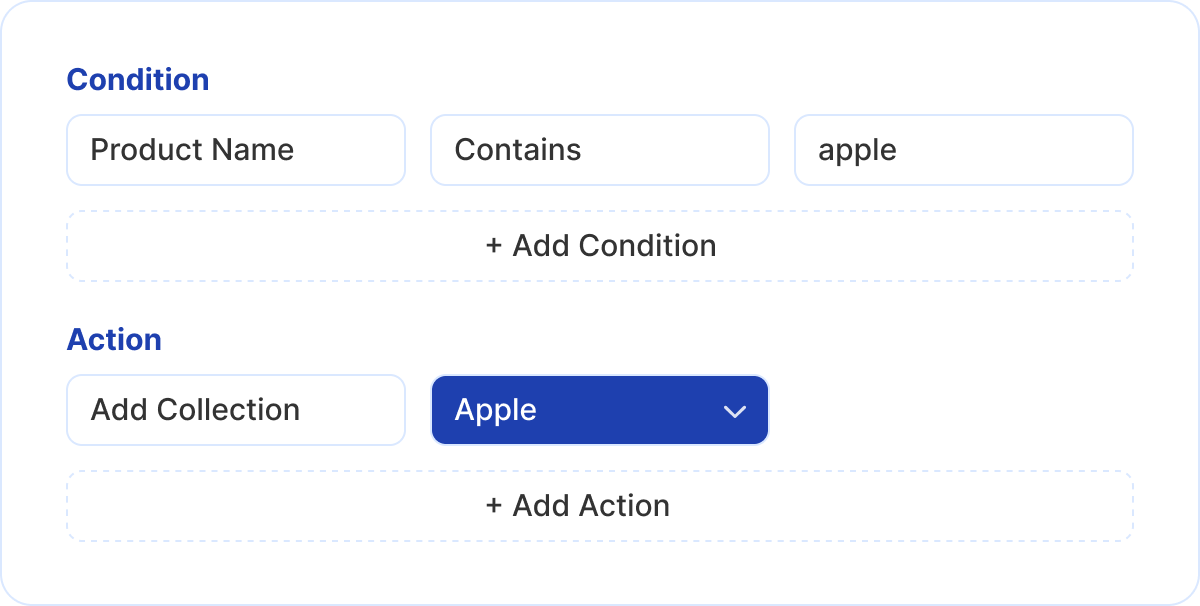
Category Automation
Add or remove products from categories based on inventory, price, or other rules.
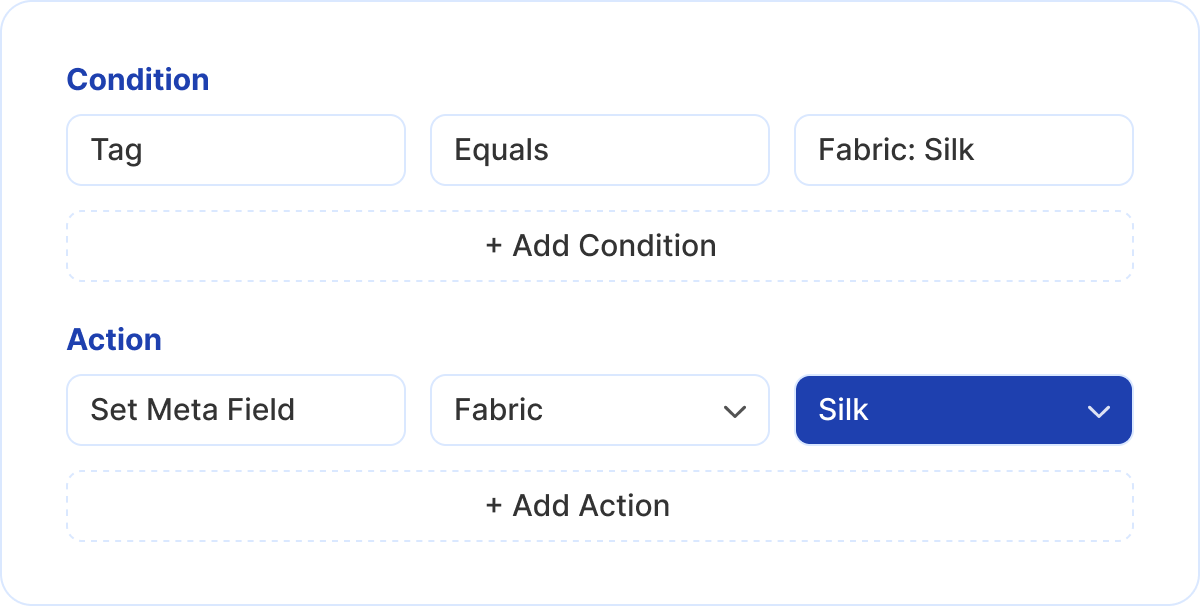
Custom Field Management
Update custom fields in bulk across your catalog - no CSV imports or manual edits.
Who uses Bulk Editor
Make fast, confident catalog changes without technical help. Perfect for founders managing products, pricing, and inventory on their own.

eCommerce Operations Teams
Handle frequent product updates, seasonal changes, and inventory-driven workflows without slowing down or risking manual errors.

Agencies & Store Managers
Manage large catalogs across multiple BigCommerce stores with repeatable rules, previews, and execution history - without custom scripts.

Solo Merchants & Store Owners
Make fast, confident catalog changes without technical help. Perfect for founders managing products, pricing, and inventory on their own.
Insights for BigCommerce catalog teams
Practical reading on bulk editing, supplier feeds, and launching catalog automation on BigCommerce.
Common BigCommerce catalog automation use cases
Automatically update low-stock products when inventory falls below defined thresholds, keeping categories, filters, and merchandising logic accurate.
Read More
Add products to categories automatically when conditions are met, reducing manual merchandising effort and keeping categories continuously updated.
Read More
Update product descriptions automatically when conditions are met, keeping content accurate across large catalogs without repetitive manual editing.
Read More
Find and replace text across thousands of products at once to fix errors, update messaging, or standardize content in a single action.
Read More
Trusted by teams managing complex catalogs
"Managing a large BigCommerce catalog used to mean endless Control Panel clicks. Bulk actions and automation now keep our categories, prices, and custom fields in sync without the busywork."
Emily Carter
BigCommerce Store Manager
"We run several BigCommerce stores for clients. Previewing changes before they go live cut our pricing mistakes and made catalog updates feel reliable again."
Marcus Ellison
eCommerce Agency Lead
Frequently asked questions
Common questions about BigCommerce bulk editing, automation rules, and safe catalog operations.
What does BigCommerce Bulk Editor help you do?keyboard_arrow_down
BigCommerce Bulk Editor lets you update product titles, prices, status, categories, and custom fields in bulk while previewing changes before applying them.Can I bulk edit products without using CSV files?keyboard_arrow_down
Yes. You can bulk edit products directly inside BigCommerce without exporting or importing CSV files, reducing errors and saving time on manual updates.Is BigCommerce Bulk Editor safe for live stores?keyboard_arrow_down
Yes. All changes are previewed and validated before execution, and updates are processed safely using queued jobs that respect BigCommerce limits.
What types of automation rules does the app support?keyboard_arrow_down
Can I automate inventory-based actions?keyboard_arrow_down
Yes. You can automatically update products when inventory is low, out of stock, or back in stock without manual monitoring.Does the app support bulk price updates?keyboard_arrow_down
Yes. You can increase, decrease, or reset product prices in bulk using rules or one-time actions, without relying on spreadsheets or manual edits.Can I manage categories automatically?keyboard_arrow_down
Yes. Products can be added to or removed from categories automatically based on rules, keeping categories accurate as product data changes.
Does BigCommerce Bulk Editor support custom fields?keyboard_arrow_down
Yes. You can create, update, or clear custom fields across thousands of products in bulk, making structured data management fast and consistent.Can I see what changes will be applied before running a job?keyboard_arrow_down
Yes. Every bulk edit and automation rule includes a preview step so you can review exactly what will change before anything goes live.
Is there a history of past bulk edits and automations?keyboard_arrow_down
Yes. The app keeps a history of executed bulk actions and automation runs, helping teams track changes and maintain operational visibility.
Ready to bulk edit without CSV?
Install Bulk Editor from the BigCommerce App Marketplace and start updating products, running automations, and keeping your catalog accurate.
Questions? Contact us for a quick call.