If you manage more than a small number of products in Shopify, editing titles, prices, tags, inventory, descriptions, metafields, and collections one product at a time quickly becomes impractical.
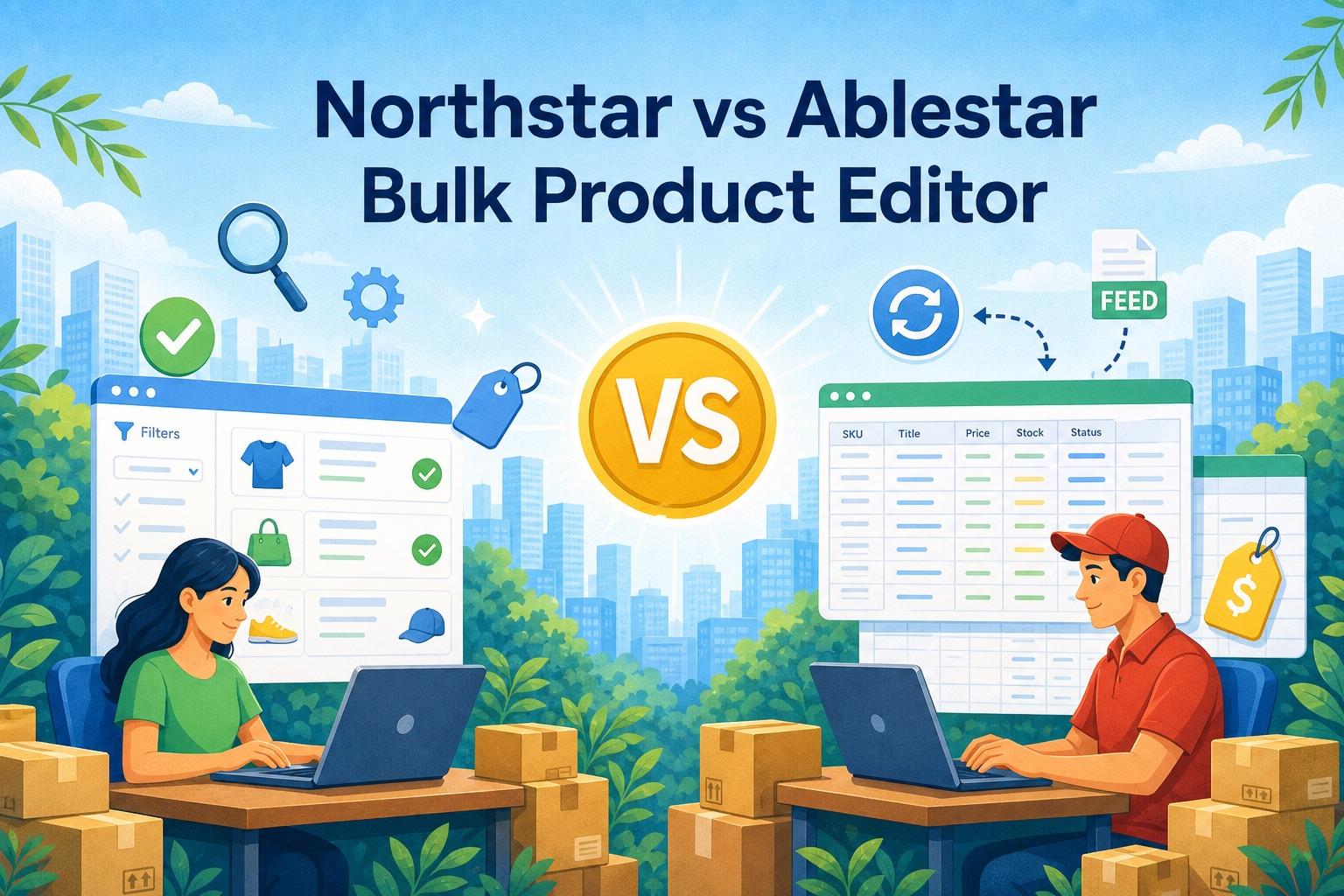
Northstar Bulk Product Editor and Ablestar Bulk Product Editor both solve this problem, but choosing between them should not come down to which app has accumulated the longest feature list.
For most Shopify merchants, the actual requirement is much simpler: find the right products, update them safely, preview the changes, automate recurring work, and avoid paying for infrastructure that the team will never use.
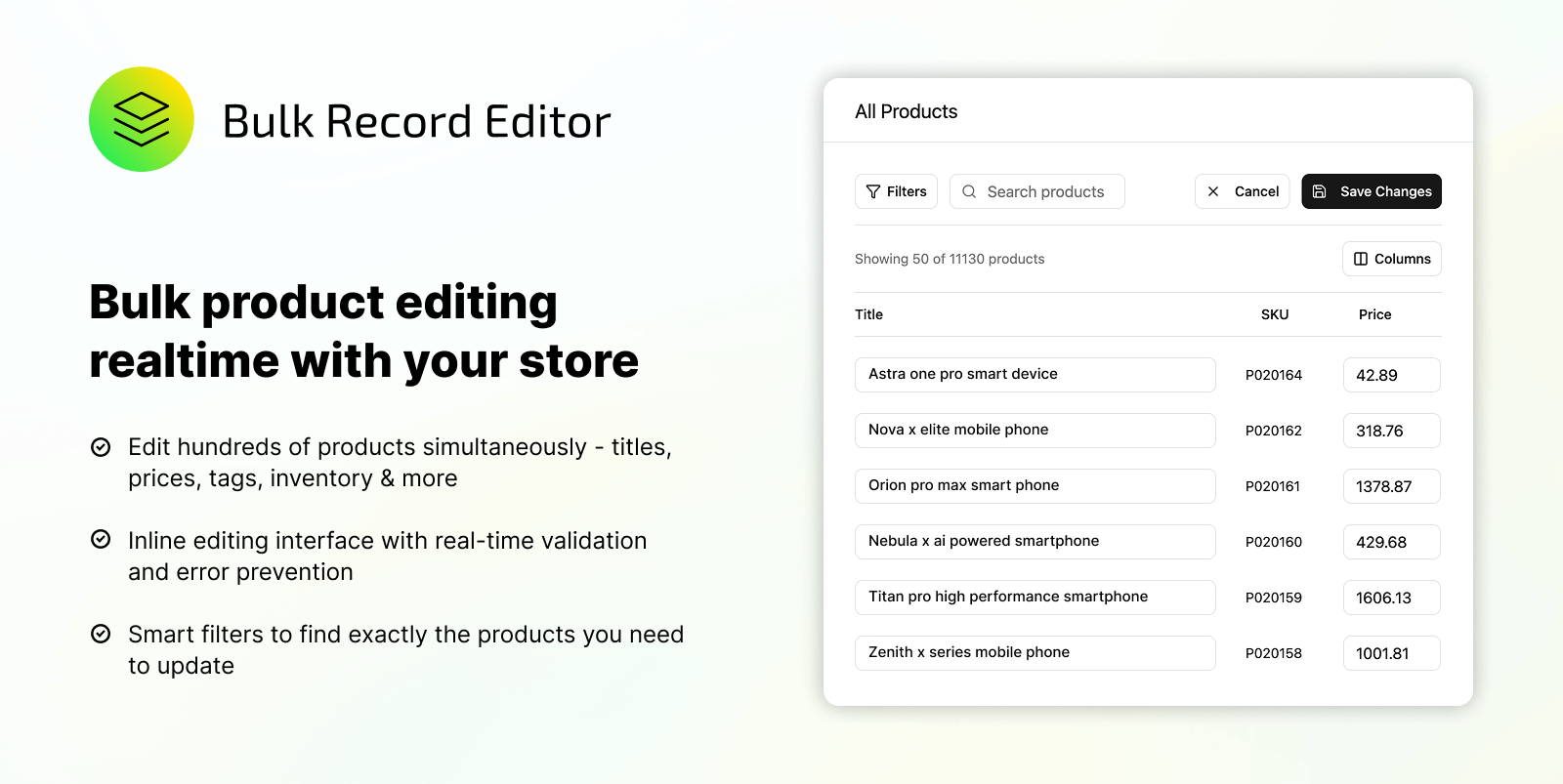
This is where Northstar makes a strong case. It focuses on direct bulk editing, advanced product filtering, previews, find and replace, selective imports and exports, and automation rules without forcing merchants into spreadsheet-heavy workflows. It is also currently listed as free on the Shopify App Store.
Ablestar is a mature and capable platform. Its biggest advantages are external inventory feeds, broader spreadsheet tooling, one-click undo, Google Shopping support, scheduled exports, and a longer public track record. Those features are valuable for some advanced operations, but many merchants will need to move to a $30, $60, or $120 monthly plan to access the workflow they actually want.
Our short answer: Northstar is the better starting point for most Shopify stores. Ablestar makes more sense when a business has specific integration or feed-management requirements that Northstar is not designed to replace.
Disclosure: Northstar is developed by NorthStar Innovations, the publisher of this article. We have kept this comparison factual, included areas where Ablestar is stronger, and linked to the official product pages used for verification.
Quick verdict: Start with Northstar unless you need a specific Ablestar integration
Choose Northstar Bulk Product Editor if you want:
- A currently free Shopify bulk editor
- Direct, in-app editing without depending on CSV files
- Advanced filters to select the right products before editing
- Preview-first bulk changes
- Find and replace across product content and metafields
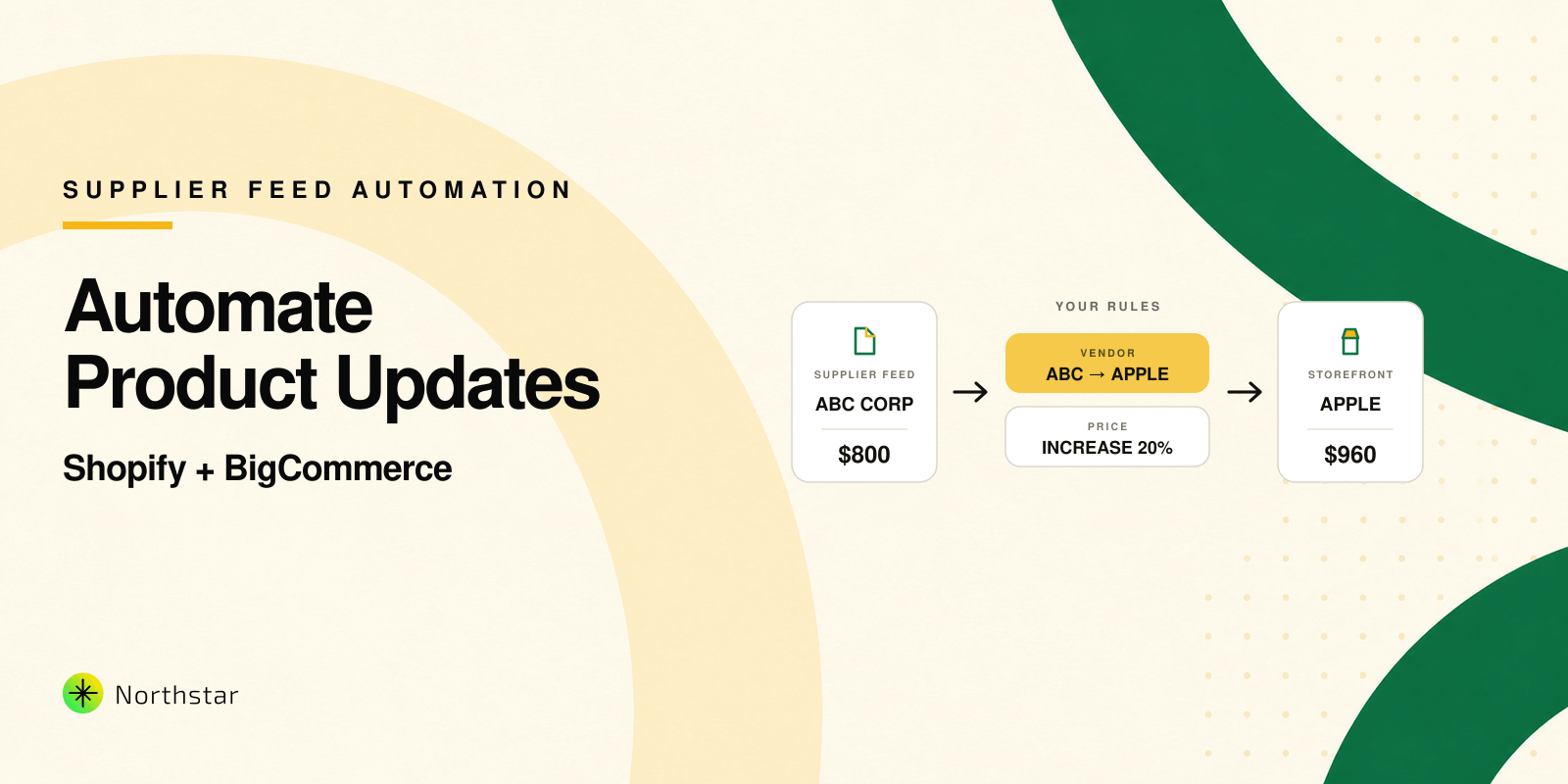
- Automation rules for recurring catalog work
- A focused interface without external feed-management features you may never use
Consider Ablestar Bulk Product Editor if you specifically need:
- A long-established app with a large merchant review history
- One-click undo for completed bulk edits
- Flexible CSV and Excel editing workflows
- Matrixify, Google Shopping, Google Sheets, Dropbox, FTP, or SFTP workflows
- Inventory synchronization from supplier feeds
- Scheduled exports, recurring edits, product rules, or code snippets at the limits offered by its paid plans
- Bulk image editing, which is listed as an editable resource for Ablestar
That distinction matters. A merchant should not pay for a broader product-data platform simply because it offers more features on paper. If the daily work involves prices, tags, descriptions, inventory, collections, metafields, filters, find and replace, and catalog automation, Northstar already addresses the core problem with less operational overhead.
Why Northstar is the better choice for most Shopify stores
1. It focuses on the work merchants perform every week
Most catalog teams are not configuring FTP feeds or maintaining complicated spreadsheet pipelines. They are correcting product data, preparing a sale, changing prices, organizing tags, updating metafields, managing collections, and reacting to inventory changes.
Northstar puts these common jobs at the center of the product. Merchants can filter the catalog, choose what to update, preview the affected products, and run the change without leaving the app. The workflow is easier to explain to a team member and easier to repeat consistently.
2. Automation is part of the core value, not an afterthought
Northstar is not only a faster way to perform one-time edits. Its automation rules are designed for catalog conditions that continue changing after the initial cleanup.
For example, a merchant can create workflows that tag low-stock products, remove out-of-stock products from a collection, apply promotional tags, or adjust selected product data when defined conditions are met. This turns a bulk editor into an ongoing catalog-maintenance tool.
3. It reduces unnecessary spreadsheet dependence
CSV files remain useful for migrations and large data transfers, but they should not be required for every ordinary catalog update. Exporting a file, editing it, validating columns, and importing it again creates more opportunities for formatting problems and accidental overwrites.
Northstar supports import and export when needed, but its primary workflow happens directly inside the app. For teams that mainly work in Shopify, this is usually the more practical experience.
4. It encourages safer changes through filters and previews
Speed is not useful if a bulk operation changes the wrong products. Northstar emphasizes advanced product filtering and a preview step before execution. The merchant can confirm both the scope and the proposed update before it reaches the live catalog.
This is particularly important for price changes, text replacements, collection updates, and metafield operations where an incorrect condition can affect hundreds of records.
5. It offers a much easier value decision
Northstar is currently listed as free. Ablestar's free plan limits editing, imports, and exports to 10 products per task, while its paid plans range from $30 to $120 per month.
If a merchant needs Ablestar's external sync and integration features, the subscription can be justified. If those features will remain unused, Northstar offers the more sensible route: solve the catalog problem first without immediately adding another recurring software bill.
Northstar vs Ablestar at a glance
| Area | Northstar Bulk Product Editor | Ablestar Bulk Product Editor | Practical advantage |
|---|---|---|---|
| Current pricing | Listed as free | Free Starter plan; paid plans at $30, $60, and $120 per month | Northstar |
| Best fit | Most merchants wanting focused in-app editing and automation | Integration-heavy catalog teams using spreadsheets and external feeds | Northstar for most stores |
| Product and variant editing | Yes | Yes | Tie |
| Prices, tags, descriptions, inventory, metafields, and collections | Yes | Yes | Tie |
| SKU and barcode editing | Yes | Yes | Tie |
| Image editing | Not listed as an editable resource on the Shopify listing | Yes | Ablestar |
| Preview before applying changes | Yes | Yes | Tie |
| Search and filters | Advanced product search, facets, and filters | Search and filters | Northstar has a strong filtering focus |
| Find and replace | Yes, including descriptions, metafields, and other supported text fields | Yes, with several text-editing options | Northstar for common cleanup workflows |
| Automation | Automation rules and scheduled tasks are listed | Scheduled edits, recurring edits, inventory sync, and product rules, depending on plan | Northstar for accessible catalog automation; Ablestar for broader paid options |
| Import and export | Selective product import and export; CSV import/export is listed | CSV and Excel workflows, plus Matrixify and Google Shopping export formats | Northstar for selective Shopify workflows; Ablestar for external formats |
| Undo and rollback | Preview, logs, and rollback options are advertised for selective import/export workflows | One-click undo for bulk edits, plus edit history based on plan | Ablestar |
| External data sync | Not presented as a core feature | Google Drive, Dropbox, FTP/SFTP, URL feeds, and other supported workflows | Ablestar, if these integrations are required |
| Shopify status | Launched in February 2026 | Launched in July 2017 and currently Built for Shopify | Ablestar for maturity |
| Overall value | Focused core workflows with no current subscription price | Broader feature set with many operational capabilities on paid plans | Northstar for most merchants |
Feature availability and pricing can change. This comparison was checked against the official listings on September 1, 2026.
1. Everyday bulk editing workflow
The biggest practical difference is not whether both apps can change a price or add a tag. Both can. The difference is how much operational complexity you want around that edit.
Northstar is designed around a straightforward workflow:
- Filter the catalog by collection, tag, vendor, price, status, inventory, or variant data.
- Choose the product field or fields to update.
- Preview the matching products and proposed changes.
- Run the update through a queued, logged process.
- Review the execution history and refine the workflow when needed.
This approach is useful when your team wants to work directly inside the app and avoid repeated CSV exports, spreadsheet cleanup, and re-imports. Northstar's official page describes editing titles, descriptions, prices, tags, vendors, status, inventory rules, collections, and metafields across large product sets.
Ablestar also supports in-app edits and previews, but it extends the workflow much further. Teams can use spreadsheets, work with additional export formats, synchronize supplier inventory, schedule exports, and connect external file sources. That breadth is valuable when product operations already depend on feeds and spreadsheets.
The practical choice: If most of your work starts and ends inside Shopify, Northstar keeps the workflow focused. If your catalog data regularly moves between Shopify, suppliers, spreadsheets, and external systems, Ablestar offers more of that infrastructure.
2. Product filtering and selection
A bulk edit is only safe when the correct products are selected.
Northstar emphasizes advanced product search, facets, and filters. Merchants can narrow the catalog using product attributes before they configure an edit or automation. This is particularly useful for workflows such as:
- Increasing prices for one vendor or collection
- Tagging products below an inventory threshold
- Removing an expired promotional tag
- Updating descriptions for a particular product type
- Finding products with missing or inconsistent data
- Updating metafields only for a controlled product group
Ablestar also provides search and filtering before an in-app edit. Its mature editing system supports a broad range of product and variant fields, and its official documentation shows filters as the starting point for many bulk operations.
Neither app should be judged only by the number of filters listed on a marketing page. Before choosing, test the filters against a real catalog scenario from your store. A filter is valuable only if it can isolate the exact products your team needs to change.
3. Find and replace
Find and replace is one of the fastest ways to clean a Shopify catalog after a rebrand, supplier change, content error, or expired campaign.
Northstar includes a dedicated find-and-replace workflow for supported product text. You can limit the scope with filters, select a field such as a title, description, tag, or metafield, preview the matches, and replace only the intended text.
Typical use cases include:
- Correcting a repeated spelling error
- Replacing an old brand or supplier name
- Removing expired promotional copy
- Standardizing product naming
- Cleaning repeated text from descriptions
- Updating text-based metafield values
Ablestar also supports search and replace, along with options such as adding or removing text at the beginning or end, limiting length, and using values from other fields as placeholders.
The practical choice: Northstar covers the common find-and-replace jobs in a focused workflow. Ablestar is better suited to teams that need a broader library of text transformations and dynamic field operations.
4. Preview, history, undo, and rollback
Bulk editing can save hours, but a poorly scoped edit can change hundreds or thousands of products. Safety controls therefore matter as much as editing speed.
Both apps support previewing changes before execution.
Northstar emphasizes previewing the matching products before an automation or bulk update runs. Jobs are queued and logged, and the app listing advertises rollback options for selective import and export workflows. This helps teams inspect the intended scope instead of applying a catalog-wide change blindly.
Ablestar has the stronger documented undo system. Its Shopify listing and help center describe one-click undo for bulk edits, progress monitoring, downloadable logs, and edit history. Paid plans retain standard bulk-edit history for 60, 90, or 180 days, depending on the plan.
These features should not be treated as identical. If one-click reversal of any completed bulk edit is a mandatory operational requirement, Ablestar currently documents that capability more explicitly. If your process is built around careful filtering, previews, and logged execution, Northstar provides a simpler safety-first workflow.
5. Automation rules
One-time bulk edits solve today's catalog problem. Automation rules prevent the same problem from returning tomorrow.
Northstar combines bulk editing with rules based on product conditions. Examples include:
- Add a low-stock tag when inventory drops below a threshold
- Add or remove an out-of-stock tag as inventory changes
- Move products into or out of collections when conditions are met
- Increase, decrease, or reset prices for selected product groups
- Apply or remove promotional tags
- Keep selected metafield or description content consistent
The goal is to let merchants reuse catalog logic instead of repeating the same manual cleanup every week.
Ablestar offers several types of automation. Scheduled edits run at a set time, recurring edits repeat on a schedule, inventory sync jobs update data from external feeds, and automatic product rules can react when a product is created or updated. Limits depend on the selected paid plan. Its Advanced plan currently includes five recurring edits and five automatic product rules, while Professional raises those limits to twenty each.
The practical choice: Northstar is attractive when you want catalog-focused rules without paying for a larger feed and integration platform. Ablestar is stronger when you need multiple automation types, supplier inventory synchronization, scheduled exports, or published plan limits for a larger operation.
6. When Ablestar's extra integrations are actually necessary
This is the clearest area where Ablestar goes beyond Northstar's current positioning, but it is also the area where merchants should separate genuine requirements from features that merely sound impressive.
Ablestar supports spreadsheet-based editing without requiring every file to be reformatted into a single rigid template. Its listing also advertises exports compatible with CSV, Matrixify or Excelify, and Google Shopping. Inventory Sync can use files from sources such as Google Drive, Dropbox, FTP/SFTP, or a URL. It also works with Shopify Sidekick.
Northstar supports selective product import and export, and its Shopify listing identifies CSV import and export as an available action. However, it is primarily presented as an in-app bulk editor and automation tool, not as an external supplier-feed platform.
If supplier feeds, FTP, scheduled exports, or special spreadsheet formats are central to your operation, Ablestar is the more complete choice today.
If your team does not use those systems, they should not determine your purchase. Northstar deliberately keeps the experience centered on Shopify catalog work, which is exactly why it can be the better fit for a much larger group of merchants.
7. Pricing comparison
Northstar is currently listed as free on the Shopify App Store.
Ablestar currently offers four plans:
- Starter: Free. Editing, import, and export are limited to 10 products per task according to its Shopify listing.
- Basic: $30 per month. Includes unlimited products per edit, scheduled edits, one inventory sync job, editing multiple fields, and 60-day edit history.
- Advanced: $60 per month. Adds five recurring edits, five inventory sync jobs, five scheduled exports, five automatic product rules, one code snippet, and 90-day history.
- Professional: $120 per month. Raises the main automation and sync limits and includes 180-day history.
Pricing makes Northstar particularly relevant to merchants that have outgrown Shopify's default editor but do not yet need a $30 to $120 monthly operations platform.
At current monthly prices, Ablestar costs $360 per year on Basic, $720 per year on Advanced, or $1,440 per year on Professional, before any applicable taxes. Northstar currently has no listed subscription charge.
Price should still be evaluated against labor. If an Ablestar integration eliminates a recurring supplier-feed task, its subscription may be inexpensive compared with the staff time it replaces. Conversely, paying for advanced integrations that your team never uses creates cost without operational value.
8. Does Ablestar's longer history automatically make it the better choice?
Ablestar is clearly the more established app. It launched in 2017, carries Shopify's Built for Shopify designation, and had a 4.9 rating from 803 reviews when this article was reviewed. That history matters for merchants that prioritize an extensive public track record.
Northstar launched in February 2026. At the time of review, it had one Shopify App Store review with a 5.0 rating. It is a newer option, so it does not yet have Ablestar's volume of public merchant proof.
Being newer does not make Northstar less relevant to the decision. The merchant still needs to compare the workflow, support, accuracy, and value delivered today. Northstar gives merchants a focused product editor with automation capabilities at no current subscription cost. Ablestar provides a longer track record and broader feature set, but many operational capabilities are reserved for paid plans.
For a risk-conscious merchant, the practical approach is to install Northstar, test it on a controlled product set, and judge the workflow directly. A newer app that solves the required job cleanly can be a better decision than a mature platform whose additional capabilities remain unused.
Our recommendation: Start with Northstar
Northstar should be the first choice if your team mainly works inside Shopify
Northstar is the better first choice when your recurring jobs involve catalog filtering, direct bulk updates, find and replace, metafields, pricing, tags, collections, inventory conditions, and automation rules. It lets you replace repetitive Shopify editing without immediately adding another monthly software cost.
Install Northstar Bulk Product Editor for free
Move to Ablestar only when your requirements go beyond this workflow
Ablestar is worth considering when your operation depends on supplier spreadsheets, remote feeds, Google Shopping formats, scheduled exports, extended edit history, code snippets, or one-click undo as a formal requirement. These are valid needs, but they do not apply to every Shopify store.
Test the workflow, not just the feature list
Before committing to either app, run the same controlled task in a test collection:
- Filter a representative set of products.
- Change two or three fields.
- Preview the proposed updates.
- Run the edit.
- Review the log and recovery options.
- Repeat the task as an automation if it reflects a recurring process.
The better app is the one your team can operate confidently without creating unnecessary steps.
Final verdict
Northstar and Ablestar both help Shopify merchants update product data at scale, but they represent two different buying decisions.
For most Shopify merchants, we recommend starting with Northstar Bulk Product Editor. It covers the product-management work that stores perform most often: in-app editing, powerful filtering, previews, find and replace, metafields, tags, collections, price changes, and catalog automation. It is focused, easier to evaluate, and currently free.
Ablestar should become the preferred option only when its additional capabilities solve a defined business requirement, such as supplier-feed synchronization, advanced spreadsheet workflows, scheduled exports, one-click undo, or a longer public track record required by procurement.
The practical decision is therefore not “Which app has more features?” It is “Which app solves our catalog work without adding unnecessary cost and complexity?”
For the majority of stores that manage product data directly in Shopify, the answer is Northstar.
If the first description matches your store, try Northstar on Shopify.
Frequently asked questions
Is Northstar a good alternative to Ablestar Bulk Product Editor?
Yes. For merchants whose main needs are in-app product editing, filters, previews, find and replace, metafields, imports and exports, and catalog automation, Northstar is a strong and currently free Ablestar alternative. Ablestar remains more suitable when external inventory feeds, special spreadsheet formats, scheduled exports, code snippets, or its documented one-click undo workflow are mandatory.
Is Northstar Bulk Product Editor free?
Yes. Northstar was listed as free on the Shopify App Store when this comparison was reviewed on September 1, 2026. Always confirm current pricing on the listing before installation.
Can both apps bulk edit Shopify metafields?
Yes. Both Northstar and Ablestar list metafields among their editable resources. Ablestar's listing currently documents a wider set of metafield types and management tools.
Can both apps preview bulk changes?
Yes. Both apps advertise previews before bulk changes are applied. Previewing a small, filtered product group first is still recommended for any important catalog update.
Which app has better undo functionality?
Ablestar currently has the more explicit and extensively documented undo capability, including one-click undo and plan-based edit history. Northstar emphasizes previews, execution logs, and rollback options for selective import and export workflows.
Which app is better for spreadsheet-based product management?
Ablestar. It offers broader CSV and Excel workflows, additional export formats, and remote-feed integrations. Northstar supports import and export but is positioned primarily around direct in-app editing and automation.
Which app is better for a new or growing Shopify store?
Northstar can be a practical first choice when the store needs stronger bulk editing and automation than Shopify's default tools provide but does not need a large external integration suite. Because it is currently free, merchants can validate the workflow without adding a monthly subscription.