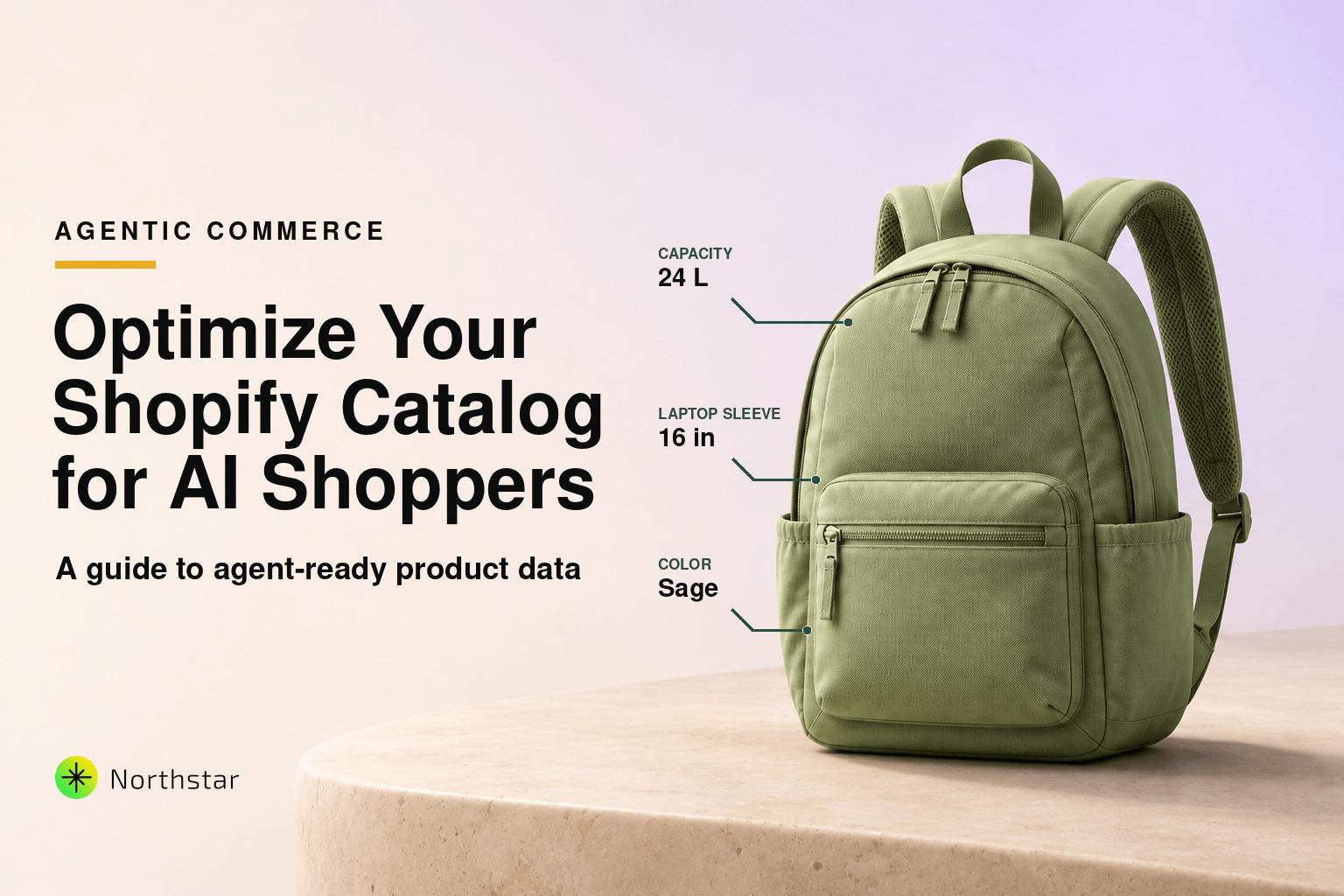
For over twenty-five years, eCommerce was engineered around a single constant: human psychology. We built stores with vibrant hero sliders, persuasive copywriting, urgency countdown timers, and meticulously styled lifestyle photography—all designed to capture a human eye and guide a clicking finger to an "Add to Cart" button.
With the release of Shopify Editions Fall ’26 (“Exponential”), that twenty-five-year playbook has reached an irreversible turning point.
The defining announcement of the Fall ’26 release wasn’t another storefront theme or checkout customization tweak. It was Agentic Commerce: an infrastructure overhaul turning Shopify from a traditional web storefront host into the primary execution layer for autonomous AI shoppers.
Today, high-intent consumers are no longer spending hours wading through faceted search filters, Google ad clutter, or endless collection pages. Instead, they give complex purchasing prompts to AI assistants like ChatGPT, Claude Duet, Google Gemini (in AI Mode), Meta’s Muse, and Grok Bot. In turn, these agents parse specifications, evaluate real-time inventory, compare promotional pricing, and execute one-click purchases natively via Shop Pay—without the consumer ever seeing your homepage.
Here is the reality every merchant must confront: AI agents don’t care about your lifestyle photography or brand aesthetic. They care about structured, machine-readable data.
If your product attributes are buried in messy HTML descriptions, your metafields are empty, your titles lack technical specificity, or your inventory signals are out of sync, your store is completely invisible to the fastest-growing shopping cohort in the world.
In this guide, we break down what Shopify’s Fall ’26 Agentic Commerce architecture really means, how AI shoppers evaluate products, the five fatal catalog blindspots that disqualify stores, and how to use NorthStar Shopify Bulk Product Editor to make your entire catalog agent-ready at scale.
1. The Shopify Fall ’26 Paradigm: What Just Changed?
To understand why catalog optimization is now an existential priority, you have to understand the technical primitives Shopify introduced in its Fall ’26 release:
A. The Universal Shopping Skill (shop.md)
Just as robots.txt told search engine web crawlers how to index web pages in 1998, shop.md is the universal manifest for autonomous shopping agents. Hosted at your store's root domain, it exposes machine-readable context including brand policies, return windows, shipping guarantees, verified credentials, and real-time product feeds formatted specifically for Large Language Models (LLMs).
B. Embedded Shop Pay in Conversational AI
Shopify integrated Shop Pay directly into conversational agents. When Claude, ChatGPT, or Gemini recommends a product from Shopify’s unified 1-billion-product Catalog, the user doesn't get bounced to an external landing page. They authorize the transaction within the chat interface, and Shop Pay handles authentication, tokenized payment, shipping address selection, and merchant fulfillment handoff in seconds.
C. WebMCP and the shop.dev Agent Protocol
Through Model Context Protocol (WebMCP) and shop.dev, external AI agents have structured tool-calling endpoints. They can query your catalog for exact specifications, check live inventory availability, verify volume discounts, and simulate cart pricing with sub-second latency.
D. Native Google Search (AI Mode) & Gemini Storefronts
Merchants can now sell directly inside Google Search AI Overviews and the standalone Gemini app. AI shoppers can conduct interactive, back-and-forth discovery and complete checkouts that immediately sync into your Shopify Admin as native orders.
Key Takeaway: The transaction point has decoupled from the web browser. The merchant who wins the sale is no longer the one with the flashiest landing page, but the one whose product data best satisfies the AI agent’s strict constraint matching algorithm.
2. How AI Shoppers Actually Buy: The Agentic Buyer Loop
To optimize for AI shoppers, you must understand how an LLM agent evaluates purchasing options compared to a human shopper.
Consider this prompt from a real consumer to Claude Duet:
"Find me a hypoallergenic mineral sunscreen SPF 50 that uses non-nano zinc oxide, leaves zero white cast on olive skin, is reef-safe, comes in packaging under 100ml for carry-on travel, and can be delivered to Chicago by Thursday for under $38."
A human browsing a site might spend 20 minutes reading user reviews, scanning ingredient labels, looking for a travel-size badge, and calculating shipping dates at checkout.
An AI agent executes this evaluation programmatically in 4 distinct stages:
- Intent & Constraint Extraction: The agent deconstructs the prompt into 6 hard mathematical constraints:
- Active Ingredient:
non-nano zinc oxide - Protection Factor:
SPF >= 50 - Formulation Attributes:
hypoallergenic == true,reef-safe == true,tint / no-white-cast == true - Physical Specs:
volume <= 100ml / 3.4 oz - Landed Cost:
price <= $38.00 USD - Fulfillment SLA:
delivery_estimate <= 72 hours to zip 60601
- Active Ingredient:
- Vector Retrieval & Schema Filtering: The agent queries Shopify’s Catalog API and
shop.mdfeeds. It does not read marketing prose; it looks for key-value pairs matching those constraints. - Constraint Elimination: If Product A is a fantastic sunscreen but its volume is listed only in a paragraph as "generous travel-friendly bottle" without an explicit
custom.volume: 90mlmetafield, the AI rejects it due to low confidence. - Autonomous Execution: The agent ranks the surviving candidates by value (favoring verified compare-at discounts and in-stock reliability) and executes checkout via Shop Pay.
3. The 5 Fatal Catalog Blindspots That Get Stores Disqualified by AI
When reviewing catalogs across growing DTC brands, we see five critical data hygiene failures that completely shut stores out of agentic commerce:
Blindspot 1: The "Unstructured Narrative" Trap (Descriptions vs. Metafields)
Most Shopify stores paste their technical specs into the main product description HTML box. While a human can skim a paragraph and find "organic cotton" or "IPX7 waterproof rating," an AI agent processing hundreds of candidate products in parallel requires deterministic structured data.
If your specs aren't mapped to standardized Shopify Metafields (e.g., material, compatibility, dimensions, weight, certifications), the agent's confidence score drops, and your product is skipped in favor of a competitor with explicit key-value schema.
Blindspot 2: Abstract Lifestyle Titles
Creative naming conventions like "The Wanderer" or "Midnight Horizon" look chic on minimalist fashion or home decor storefronts. But when an AI agent runs semantic vector searches, abstract titles produce weak embedding matches.
An AI retrieval engine needs titles that clearly state: [Brand] + [Core Product Type] + [Primary Material/Differentiator] + [Key Spec / Variant Detail] (e.g., "Northstar 24L Waterproof Roll-Top Commuter Backpack – 16-inch Padded Laptop Sleeve, Cordura Nylon, Charcoal").
Blindspot 3: The Out-of-Stock Checkout Failure
AI agents operate under strict reliability guarantees. If an agent attempts an automated checkout on an SKU and encounters an out-of-stock error or unannounced backorder latency, the agent penalizes that merchant's ranking in future queries.
Without automated stock guardrails that instantly tag low stock or auto-hide out-of-stock products, your store risks being blacklisted by autonomous buying algorithms.
Blindspot 4: Missing or Miscalculated Compare-At Prices
AI shoppers are programmed to hunt for deals, rebates, and maximum price-performance ratios. Shopify’s Fall ’26 Catalog engine specifically passes through compare_at_price data to AI shoppers.
If your store runs promotions using coupon codes or cart-level scripts without cleanly updating variant compare-at prices, AI agents will fail to calculate the true markdown percentage. Your product will appear at full price compared to competitors whose discounts are cleanly broadcast in the catalog feed.
Blindspot 5: Tag Chaos and Taxonomic Drift
Over years of running campaigns, Shopify stores accumulate hundreds of messy, redundant tags: mens-shoes, men shoes, Shoes_Mens, sale-2024.
To an LLM vector database, noisy and overlapping tags degrade search cluster relevance. Clean, consistent tagging aligned with Shopify’s Standard Product Taxonomy is crucial for semantic discovery.
4. The Operational Dilemma: Why Manual Edits and CSVs Will Break Your Store
Recognizing the need for structured, agent-ready catalog data is easy. Executing it across a catalog of 2,000 products with 8,000 variants is an operational nightmare.
Let's do the math:
- 2,000 products × 5 core attributes (material, dimensions, certifications, compatibility, care instructions) = 10,000 data fields to populate.
- Plus updating titles to be descriptive and high-context = 2,000 title revisions.
- Plus establishing compare-at price integrity = 8,000 variant price updates.
How do merchants typically attempt to solve this?
A. Shopify’s Default Bulk Editor: The 50-Item Click Trap
As we covered in our deep dive on why Shopify's default bulk editor isn't enough for scaling stores, the native tool caps you at 50 products per screen. It has no formula engine, no rule-based logic, no scheduled triggers, and zero support for bulk conditional metafield updates. You are left manually clicking and typing cell by cell—a recipe for hundreds of hours of wasted human labor and inevitable human error.
B. The Spreadsheet & CSV Nightmare
The alternative is exporting a massive CSV to Excel or Google Sheets. But CSV imports are notoriously hazardous:
- Excel automatically strips leading zeros from UPC/GTIN barcodes and SKU numbers.
- Character encoding glitches mangle HTML descriptions, special characters, and dimension symbols.
- A single misplaced column header can corrupt thousands of live products.
- If an import fails midway through, there is zero rollback or undo capability. You are left restoring from an outdated backup while live orders fail.
5. The Solution: How NorthStar Bulk Product Editor Powers the Agent-Ready Catalog
This is where NorthStar Shopify Bulk Product Editor & Automation Rules transforms an impossible manual chore into a streamlined, automated operational moat.
NorthStar was engineered specifically to handle high-volume catalog transformations with enterprise safety, sub-second previews, and powerful rule-based automation.
Here is how NorthStar solves the agentic readiness gap:
1. Bulk Populate & Standardize Metafields Without Code or CSVs
AI shoppers demand explicit key-value attributes. With NorthStar’s bulk metafield management:
- Filter products by collection, vendor, or tag (e.g., all "Skincare" products).
- Bulk assign or update metafield namespaces and keys (e.g.,
custom.active_ingredients,custom.skin_type,custom.package_size_ml) across thousands of SKUs in one queued batch. - Ensure strict data types (single-line text, number, boolean, JSON) so Shopify’s
shop.mdand catalog APIs pass perfectly structured data to external LLMs.
2. Programmatic Title & SEO Optimization for Vector Retrieval
Transform vague lifestyle names into rich, high-context titles that rank top-of-list in AI vector embeddings:
- Use NorthStar’s Bulk Title Editor to inject dynamic attribute formulas:
[Vendor] + " " + [Current Title] + " – " + [Material] + " (" + [Variant Size] + ")". - Bulk update meta descriptions and image alt tags with structured specs so multimodal AI search models (like Google Lens and Gemini) understand your visual assets.
- Preview changes across 10,000 titles before applying a single edit to your live store.
3. Automated Stock Guardrails to Prevent Agent Checkout Failures
Never let an AI agent suffer a stockout handshake error:
- Deploy automatic out-of-stock hiding: when an item's total inventory reaches
0, NorthStar automatically transitions its status to draft or removes it from active sales channels. - Set up low-stock automated tagging: dynamically apply a
low-stocktag when quantities dip below safety thresholds, automatically feeding scarcity signals into yourshop.mdmanifest. - When inventory recovers, NorthStar instantly un-hides the product and clears the warning tags without manual intervention.
4. Precision Compare-At Pricing & Scheduled Sales
Win the algorithmic price-to-value comparison when AI agents evaluate competing options:
- Use NorthStar’s numeric price update rules to apply percentage or fixed markdowns while automatically establishing accurate compare-at prices.
- Schedule time-sensitive promotions with automatic price reversion—ensuring active discounts are broadcast to AI agents the moment a sale starts and cleanly reverted when it ends.
- Apply psychological price rounding (e.g., ending in
.99or.00) to maintain premium brand positioning across every currency.
5. Total Tag & Category Taxonomy Cleanup
Eliminate noisy, fragmented tags that degrade vector retrieval:
- Use bulk find and replace to merge duplicate tags (e.g., converting
t-shirts,tee, andTshirtsinto a single standardizedT-Shirtstag). - Bulk remove deprecated promotional tags from past seasons that clutter semantic indexing.
- Assign products to automated smart collections in seconds.
6. Enterprise Safety: 100% Previews, Safe Queues, and 1-Click Rollback
The biggest risk with large-scale catalog updates is catastrophic unintended edits. NorthStar eliminates this entirely:
- Instant Visual Previews: See an exact before-and-after table of every modified SKU before confirming your update.
- Queued Asynchronous Execution: Updates execute safely in the background via Shopify’s official GraphQL API, preventing rate-limit throttling and zero store slowdowns.
- 1-Click Instant Rollback: Every operation is saved in an immutable change log. If a rule produces an unintended result, hit "Undo" to restore your entire catalog to its exact previous state in one click.
6. Strategic Checklist: Is Your Shopify Catalog Ready for AI Shoppers?
As Agentic Commerce accelerates through 2026 and 2027, use this 6-point checklist to audit your store’s operational readiness:
| Area | The AI Shopper Standard | How NorthStar Automates It |
|---|---|---|
| Metadata Architecture | Core specs (materials, dimensions, compatibility) mapped into structured key-value Metafields. | Bulk Metafield Management across thousands of SKUs without code. |
| Title Specificity | Semantic titles containing Brand, Product Type, Material, and Key Attributes for vector matching. | Formula-based Title Editor with live previews. |
| Inventory Reliability | Zero out-of-stock checkout rejections; real-time low-stock tags for availability handshakes. | Automated out-of-stock hiding and low-stock tag triggers. |
| Pricing Transparency | Accurate compare-at prices populated for algorithmic deal evaluation across AI agents. | Scheduled sale price automation and automatic reversion. |
| Tag Taxonomy | Standardized, deduplicated tags matching Shopify Standard Product Taxonomy. | Bulk Tag Find & Replace and automated collection rules. |
| Error Protection | Zero broken imports or corrupted SKU records when executing large-scale catalog adjustments. | 100% pre-execution simulation, queued execution, and 1-click rollback history. |
The Bottom Line: Catalog Data Quality Is Your Next Competitive Moat
In the first era of eCommerce, victory went to whoever bought the most Google AdWords.
In the second era, victory went to DTC brands that mastered Facebook Ads and Instagram aesthetic storytelling.
In the era of Agentic Commerce, victory will belong to the merchants whose catalogs are the most complete, structured, and reliably accessible to autonomous AI agents.
Shopify’s Fall ’26 Edition built the highway with shop.md, WebMCP, and embedded Shop Pay. But it is up to you to fuel the engine with flawless, structured product data.
Stop wrestling with 50-item spreadsheets and hazardous CSV imports. Equip your store with the automation and catalog hygiene engine built for the next decade of eCommerce.
Install NorthStar Shopify Bulk Product Editor from the Shopify App Store today, and prepare your catalog to win every AI shopper.