Modern e-commerce shoppers no longer search the way they did a decade ago. Trained by everyday interactions with ChatGPT, Perplexity, and social search bars, consumers increasingly type natural, conversational questions and lifestyle descriptions into store search boxes.
Instead of typing rigid keyword strings like "linen dress sky blue" or memorized SKU numbers, today’s visitors search for outcomes:
- "Flowy summer dress for an outdoor beach wedding"
- "Unique gift for a dad who has everything and loves grilling"
- "Lightweight waterproof jacket for chilly morning hikes"
On traditional e-commerce storefronts, those queries lead directly to conversion disaster: the dreaded "0 results found" screen. In fact, benchmark studies consistently show that between 20% and 40% of standard e-commerce searches fail completely, sending high-intent, ready-to-buy shoppers bouncing directly to competitors.
To solve this friction at the platform level, BigCommerce has officially rolled out Conversational Search—a major, native upgrade to storefront search powered by AI vector embeddings and hybrid retrieval. Best of all, it is available as a free, 1-click opt-in for merchants across Core, Growth, Scale, and Performance plans.
In this definitive 2026 guide, we unpack exactly what BigCommerce Conversational Search is, how the underlying vector math works, how it compares to legacy keyword search, step-by-step instructions for turning it on, and the crucial catalog data hygiene required to ensure the AI actually surfaces your most profitable products.
Editorial Note: NorthStar Commerce builds catalog management, merchandising, and automation tools for high-growth BigCommerce merchants. While Conversational Search handles real-time shopper query interpretation, its accuracy depends 100% on the quality of your underlying product titles, descriptions, and custom fields.
What is BigCommerce Conversational Search?
At its core, BigCommerce Conversational Search is an intelligent upgrade to BigCommerce’s native storefront search engine. Rather than relying exclusively on exact character-by-character string matching, it evaluates the underlying meaning and intent behind what a shopper types.
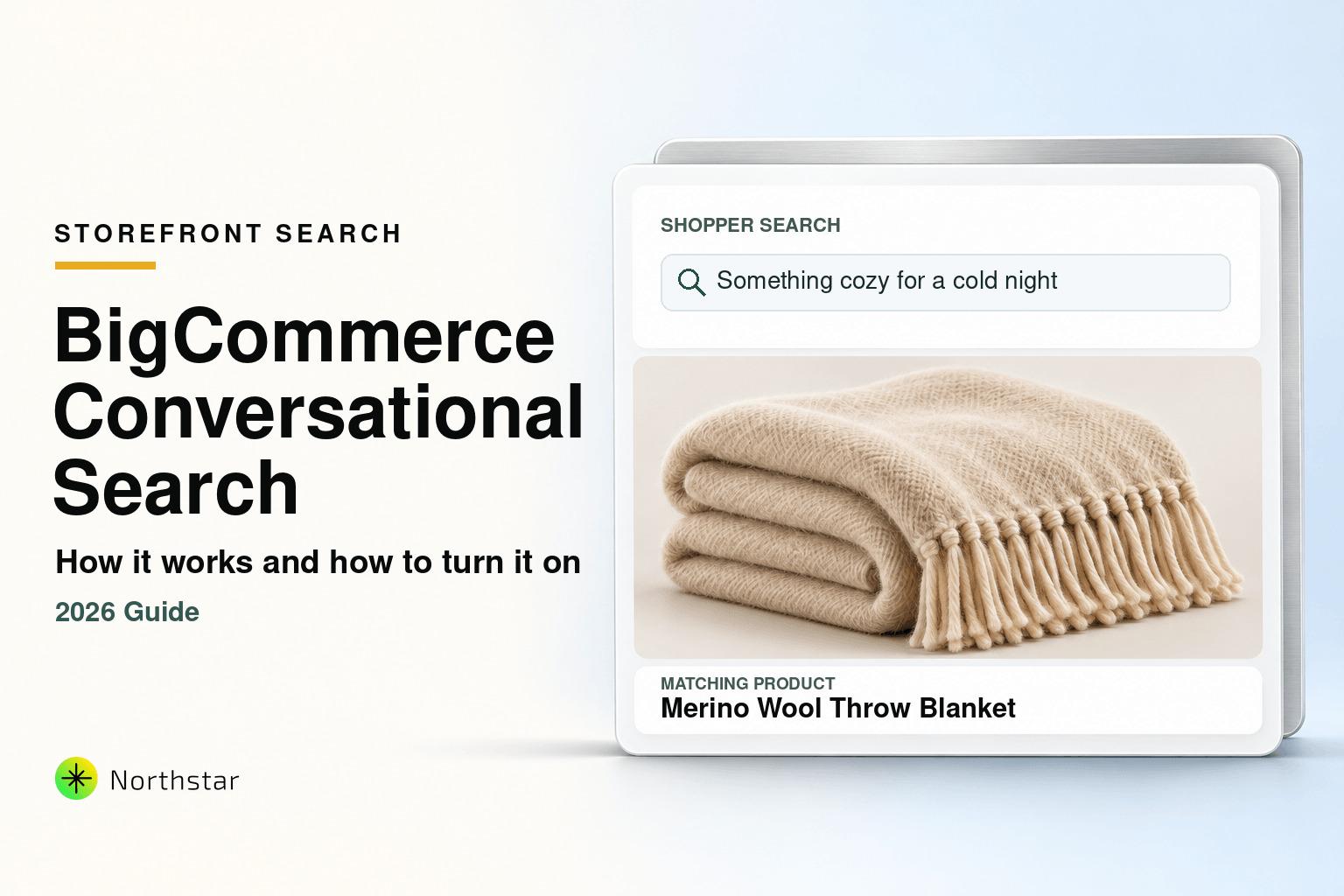
When a visitor searches for "something cozy for a cold night", legacy search engines scour your catalog for products containing those exact words. If your product is titled "100% Merino Wool Throw Blanket", it gets excluded from search results simply because the word "cozy" wasn't explicitly typed into the title or description.
Conversational Search closes that gap. It operates like an experienced in-store sales associate who instantly understands that "cozy", "cold night", and "wool throw blanket" share the same semantic universe.
Key Merchant Benchmarks of Conversational Search
How It Works: Vector Embeddings & Hybrid Search
To understand why Conversational Search is such a leap forward, it helps to understand the two core technologies powering it: Vector Embeddings and Hybrid Search Architecture.
1. Vector Embeddings: Turning Meaning into Coordinates
How can a computer understand that a "rain shell" and a "waterproof windbreaker" are essentially the same product without a human manually writing a synonym dictionary?
The answer is vector embeddings.
An embedding is a high-dimensional list of numbers generated by an AI language model (in BigCommerce's architecture, powered in partnership with Mixlayer Labs Inc.). This numerical array captures the nuanced semantic meaning, context, and usage associations of a block of text.
Think of it as placing every item on an expansive multidimensional map:
- Products like "Leather Flip-Flops", "Slide Sandals", and "Beach Footwear" are mapped into coordinates right next to one another.
- An item like "USB-C Laptop Fast Charger" is mapped thousands of miles away on the other side of the landscape.
When you enable Conversational Search, BigCommerce automatically generates vector embeddings for your product catalog in the background. When a shopper conducts a search, their query is transformed into a vector and mapped onto that same coordinate system. The search engine simply calculates which products sit closest in meaning to the shopper's intent.
2. The Hybrid Search Advantage: Why Exact SKUs Don't Break
A frequent danger with purely semantic search models is that they can over-interpret queries. If a customer types a specific manufacturer part number or SKU like DRS-MAXI-BLU-04, an aggressive AI model might try to guess the "vibe" of the string instead of retrieving the exact item.
BigCommerce solves this by implementing Hybrid Search:
- Keyword Matching: Continues to run in parallel, immediately pinpointing exact product titles, brand names, barcodes, and SKUs.
- Meaning-Based Matching: Simultaneously evaluates the semantic intent of the query to capture descriptive and conversational phrases.
The engine blends both result streams into a single, intelligently ranked list. Products matching exact keywords remain at the top, while highly relevant semantic matches fill out the discovery page instead of triggering a dead-end zero-result screen.
Keyword Search vs. BigCommerce Conversational Search
Here is how native BigCommerce search behavior transforms once Conversational Search is activated:
| Search Capability | Legacy Keyword Search | Conversational Hybrid Search |
|---|---|---|
| Primary Matching Engine | Exact character/substring matching | Vector embeddings + Exact keyword hybrid |
| Handling Long-Tail Queries | Fails when words don't match product copy | Interprets intent (e.g., "for rainy hikes") |
| Zero-Result Search Rate | High (typically 20% – 40% of queries) | Slashed by up to 70% |
| Exact SKU & Brand Searches | Supported | Fully preserved via hybrid pipeline |
| Synonym Dictionary Overhead | Requires tedious manual synonym lists | Semantic proximity handled automatically by AI |
| Catalog Setup Requirement | Requires heavy keyword stuffing in copy | Understands natural descriptions and context |
| Platform Cost | Free built-in | Free built-in (Core, Growth, Scale, Performance) |
Who Benefits Most from Conversational Search?
While virtually every store that enables Conversational Search will see a reduction in bounced sessions, the official BigCommerce documentation highlights the specific operational sweet spot where the impact is highest:
- Multi-Word Search Queries: If your store analytics show that customers frequently search with two or more words (e.g., "stainless steel compost bin for kitchen counter" rather than just "bin"), semantic search yields dramatic conversion improvements.
- Catalogs with 1,000 to 20,000 Products: Medium to large catalogs have enough SKU depth for vector proximity to surface relevant complementary alternatives without cluttering results.
- Lifestyle, Apparel, Gifting & Home Decor Brands: Verticals where shoppers search based on occasions, aesthetics, feelings, and seasonal use cases rather than rigid technical nomenclature.
- Complex B2B & Specialty Merchants: Distributors where buyers often search by functional application (e.g., "heavy-duty lubricant for high-temperature conveyor belts") rather than obscure 12-digit vendor serial codes.
Step-by-Step: How to Enable Conversational Search in BigCommerce
Enabling Conversational Search requires no theme code modifications, no API key provisioning, and zero downtime. However, only the store owner has administrative permissions to activate the feature.
Step 1: Open Your Search Settings
Log in to your BigCommerce control panel as the Store Owner. In the left navigation sidebar, navigate to Settings and click on Search under the General section (or simply type "search" into the global control panel search bar).
Step 2: Locate the Conversational Search Toggle
Scroll down the search configuration page until you see the dedicated Conversational search section.
You will see an explanation of the feature along with a transparency notice confirming that activating the tool sends catalog text and shopper query tokens to Mixlayer Labs Inc. to generate real-time vector embeddings.
Step 3: Toggle and Save
Toggle the Enable conversational search switch to the On position and click the Save button in the bottom right corner of the screen.
Once saved, the control panel will display an audit timestamp confirming who enabled the feature and the exact date of activation. BigCommerce will immediately begin embedding your catalog in the background. Shoppers can continue browsing your site uninterrupted during this process.
How to Opt Out / Revert
BigCommerce provides full flexibility. If you ever wish to revert your storefront back to classic keyword search, return to Settings > Search, toggle the switch to Off, and click Save. Your storefront will instantly switch back to legacy keyword logic.
Third-Party Search Apps, GraphQL, and AI Shopping Agents
If you are running a headless storefront, utilizing third-party search apps, or preparing for agentic commerce, there are several technical considerations to keep in mind:
1. What If You Use Algolia, Searchspring, or Klevu?
If your storefront currently runs an external third-party search provider like Algolia, Searchspring, or Klevu, that app's frontend script typically overlays BigCommerce’s native search template.
To test Conversational Search on your live theme, you must temporarily disable the third-party overlay. However, BigCommerce developers can test and benchmark Conversational Search results directly via the Storefront GraphQL Playground without altering live customer traffic.
2. The AI Agent Future: Model Context Protocol (MCP)
Conversational Search is not just for human shoppers typing into search boxes. BigCommerce has engineered Conversational Search to integrate seamlessly with the B2C Storefront MCP (Model Context Protocol) Server and autonomous shopping agents.
As AI agents increasingly browse, compare products, and assemble shopping carts on behalf of consumers, vector-based conversational search provides the exact semantic API interface agents need to discover products without brittle keyword matching.
The Merchant Warning: "Garbage In, Garbage Embeddings"
While BigCommerce documentation notes that "you don't need to rewrite or restructure your product data" to enable Conversational Search, top-tier merchandisers know there is a major caveat:
An AI vector model can only be as smart as the product text you feed it.
BigCommerce generates embeddings from your Product Titles and Product Descriptions. If your catalog suffers from data hygiene issues, Conversational Search will produce inaccurate or weak embeddings:
-
Cryptic Product Titles: If an item is named
JKT-702-BLK-Mwithout mentioning "Men's Insulated Winter Puffer Jacket", the AI vector model has very little linguistic data to work with. - Thin 1-Sentence Descriptions: If a high-end dress description simply reads "100% polyester, dry clean only", it will never match conversational queries like "cocktail attire for summer rooftop party".
- Missing Custom Fields & Attributes: If key attributes like material, weather rating, closure type, and fit are missing or buried in unformatted PDF spec sheets, semantic search cannot place the product in the right vector neighborhood.
- Outdated Brand Names or Obsolete Terminology: Unedited legacy descriptions cause the AI model to map products to obsolete concepts.
How to Optimize Your Catalog for Conversational Search at Scale
You do not need to spend months manually editing thousands of product listings one by one. By focusing on high-impact catalog hygiene, you can maximize your Conversational Search performance across your entire catalog:
1. Enrich Descriptions with Context of Use
Update product descriptions to include context, occasions, and functional benefits. Rather than stuffing repetitive keywords, write 2–3 natural sentences outlining who the product is for, where it is used, and what problem it solves.
2. Standardize Custom Fields Across Categories
Custom fields are the backbone of faceted navigation and structured discovery. Ensure your products have consistent keys and values (e.g. Material: Organic Cotton, Occasion: Formal, Fit: Relaxed) so both AI embeddings and faceted filters align.
3. Use NorthStar Bulk Product Editor to Update Thousands of SKUs
Trying to update product copy across a catalog of 2,000 to 20,000 products using BigCommerce’s native bulk editor is virtually impossible due to the platform’s strict 100-product pagination limit and the complete lack of custom field support in the native grid.
With NorthStar Bulk Product Editor for BigCommerce, you can enrich, clean, and standardize your entire catalog in minutes without touching a single risky CSV spreadsheet:
- Bulk Find and Replace across Descriptions: Instantly update brand terminology, expand usage notes, or append contextual lifestyle copy across entire categories or brands.
- No 100-Product Caps: Filter 5,000 products at once and execute queued updates safely in the background via BigCommerce's high-speed API.
- First-Class Custom Field Management: Bulk add, edit, or clean up custom fields without spreadsheet column corruption.
- Visual Diff Preview & 1-Click Rollback: Review side-by-side changes before pushing updates live, and revert any batch with a single click if needed.
Frequently Asked Questions
Will our existing SKU, brand, and barcode searches still work?
Yes, 100%. Because Conversational Search operates as a hybrid search, it executes traditional keyword matching alongside semantic vector matching. Exact SKU lookups, part numbers, and brand queries continue to resolve directly to the exact product.
Why do our search results show more products than before?
With legacy keyword search, products were only returned if they contained the exact characters typed by the user. Conversational Search adds relevant matches that share the same underlying meaning and intent, sorting results by relevance so the best matches still appear first.
Does BigCommerce Conversational Search cost extra?
No. BigCommerce has included Conversational Search as a free, native feature for all stores on Core, Growth, Scale, and Performance plans across all geographic regions.
How long does it take for catalog changes to reflect in AI search?
When you update a product title or description—whether through the control panel or via NorthStar Bulk Product Editor—BigCommerce automatically updates the vector embedding in the background. Changes are typically indexed and searchable within minutes.
Can I test Conversational Search if my store uses a third-party search app?
Third-party search applications overlay your storefront theme, which masks the native BigCommerce search results. To test Conversational Search on your theme, you must temporarily disable the third-party app. Alternatively, developers can query results safely using the BigCommerce Storefront GraphQL Playground without altering the live customer experience.
Next Steps: Upgrade Your Store’s Search Experience
BigCommerce Conversational Search is one of the most impactful free platform enhancements BigCommerce has delivered in recent years. By bridging the gap between natural language shopper intent and catalog discovery, it directly attacks the zero-result search problem that costs merchants thousands of dollars in lost orders every month.
Take five minutes today to:
- Log in to your control panel and enable Conversational Search under Settings > Search.
- Test a few natural-language, multi-word queries on your storefront.
- Audit your catalog descriptions to ensure your high-margin products have rich, descriptive copy that AI models can readily interpret.
Need to clean up, enrich, or bulk edit product descriptions and custom fields across your BigCommerce catalog? Install NorthStar Bulk Product Editor from the BigCommerce App Marketplace or explore our complete BigCommerce bulk catalog management features.
Official Sources & Resources
- BigCommerce Official Developer Documentation: Conversational Search
- NorthStar Bulk Product Editor on BigCommerce App Marketplace
- NorthStar BigCommerce Bulk Catalog Manager Overview
- Why BigCommerce's Default Bulk Edit Isn't Enough for Scaling Stores
- How to Bulk Edit Custom Fields in BigCommerce Without CSV Spreadsheets
- 7 E-Commerce Catalog & Merchandising Benchmarks for High-Growth Stores